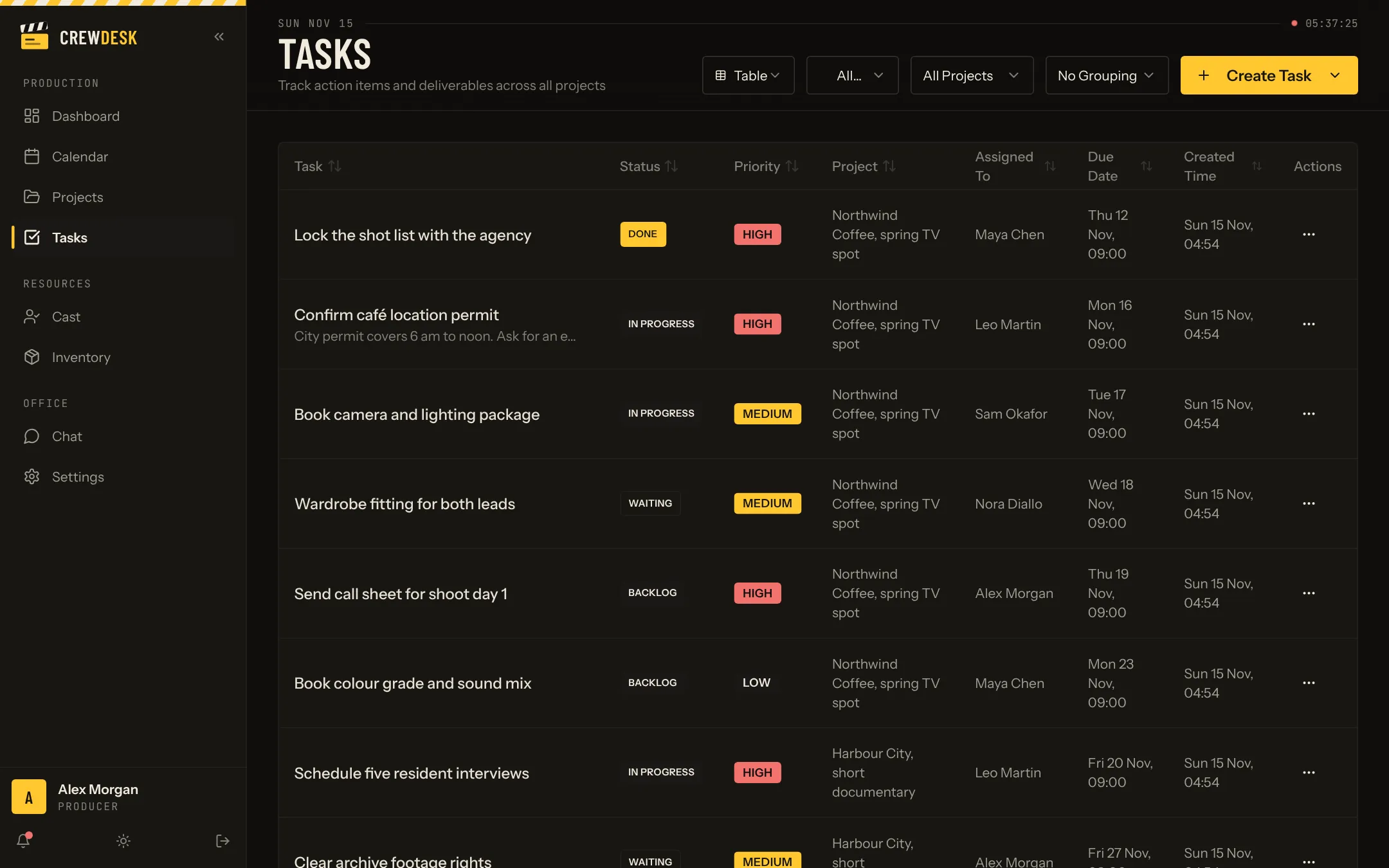
Every task has an owner
A task carries a title, a description, a status, a priority, a project, an assignee and a due date. Statuses are simple on purpose: to do, in progress, waiting and done. Waiting is there because production is full of things that depend on someone outside the team.
Two ways to look at the same work
- Table. Dense and sortable. Good for a producer checking everything due this week.
- Board. Columns by status, cards you drag from one to the next. Good for a stand-up.
Filter by project, by person or by status, and group the result the way that helps.
Templates for what you repeat
Most shoots start with the same thirty tasks: confirm the permit, book the camera package, send the call sheet. Save them once as a template and apply the template to the next project.
On the dashboard
The dashboard opens on the tasks due next, in date order, with late ones marked. It is the first thing the team sees in the morning.
A day with the task list
In the morning the dashboard shows what is due next across all productions. A coordinator opens the board, drags two cards to In progress and one to Waiting because the permit office has not answered. At noon a production assistant ticks three tasks from a phone on location. At six the producer filters by project and sees what is left before Thursday's shoot.
The status that changes behaviour
Most tools have to do, doing and done. The fourth status, Waiting, is the one production teams use most: waiting on the client, on the rental house, on the weather. A task that waits is not forgotten and not blamed on its owner. Reading the waiting column aloud is a five-minute meeting that unblocks a week.
Writing a task a freelancer can execute
- Start with a verb. Confirm, book, send, pick up.
- One outcome per task. If it has two owners, it is two tasks.
- A date that means something. The day it is needed, not the end of the week by default.
- The context in the description. The phone number, the address, the reference.