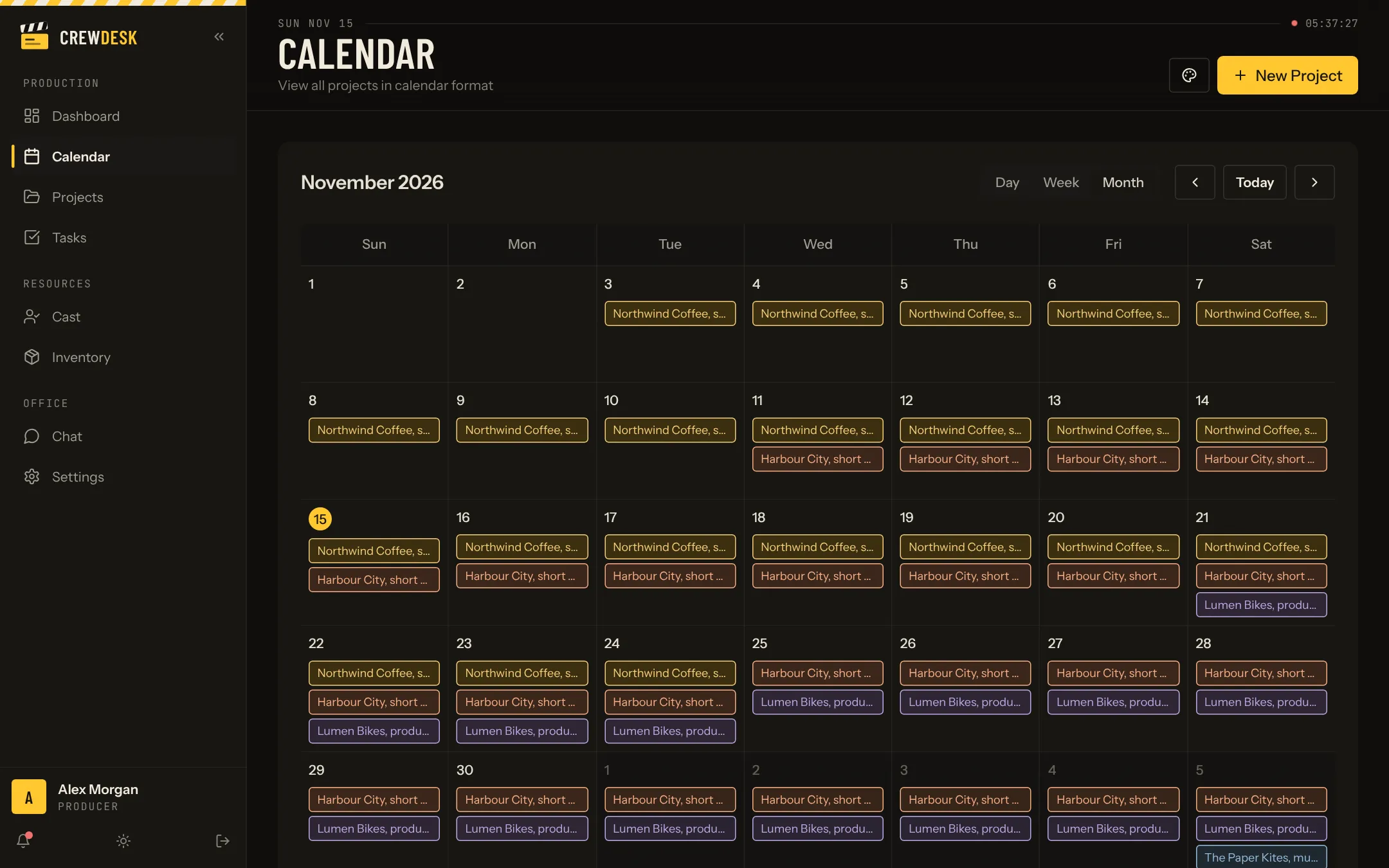
One calendar for the whole company
Each project appears on the calendar across its dates, in the colour of its stage. A month view shows the load of the company. Week and day views show what is happening now.
Find the conflicts early
Two shoots on the same day means two camera packages, two crews and one coordinator who cannot be in both places. The calendar makes that visible weeks ahead, while it is still cheap to move a date.
Filter and search
- Filter by stage to see only what is shooting
- Search a project by name
- Jump back to today in one click
- Create a project from the calendar
What goes on a production calendar
- Shoot days, with their production.
- Scouts and tech scouts.
- Fittings, rehearsals and castings.
- Deliveries and client reviews.
- Equipment pickups and returns.
- Company events: the weekly review, time off.
The rule that makes a shared calendar work is simple: if it involves more than one person and has a date, it goes on the calendar, linked to its production.
Planning a month, not a day
A call sheet plans tomorrow. The calendar plans the month. It is where a producer notices that two shoots overlap the same week, that delivery falls on a holiday, or that the only free day for the tech scout is the day after tomorrow. Seeing this three weeks ahead is the whole point.