A profile per person
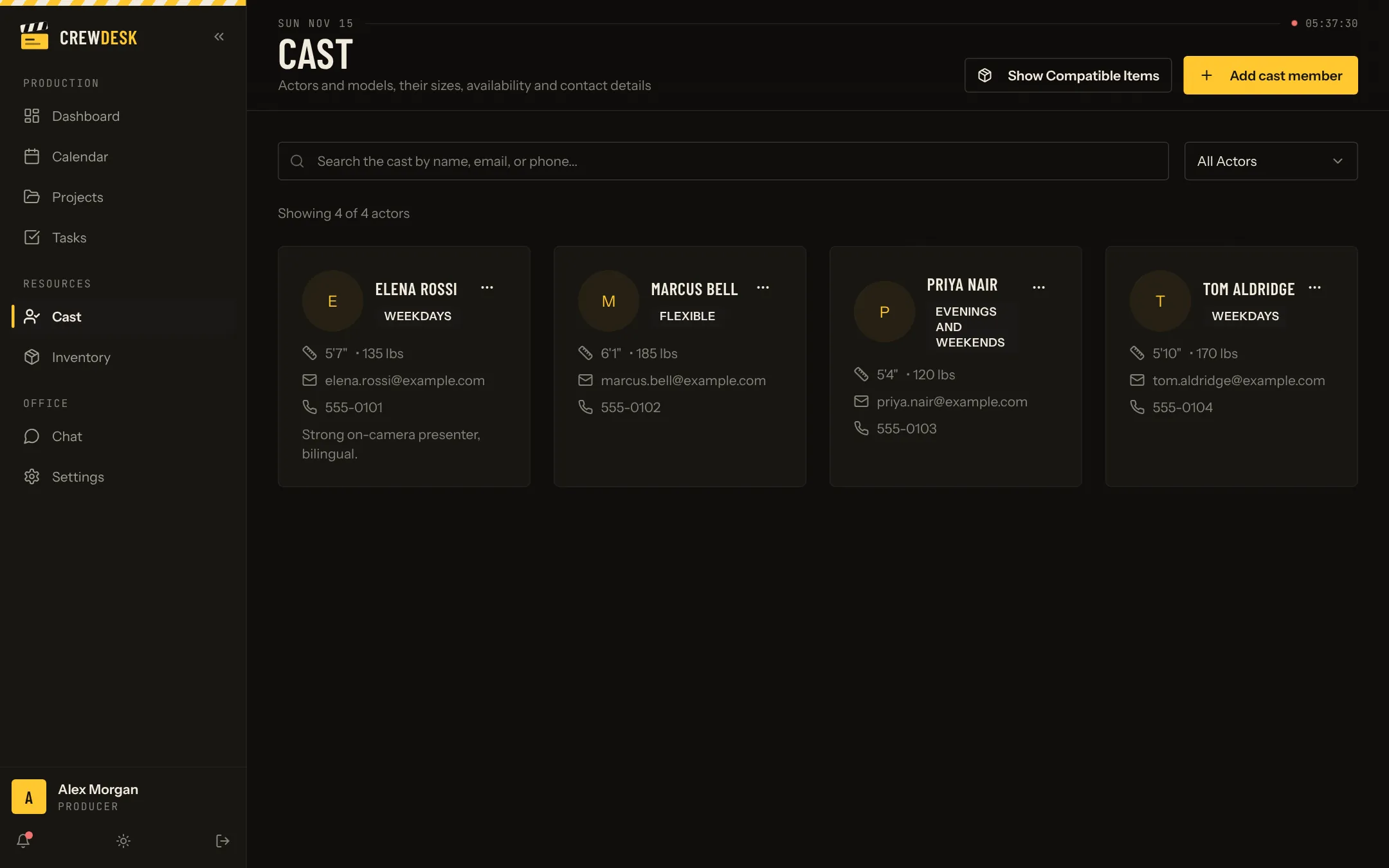
Each cast member has a profile: name, photo, height and weight, clothing sizes, availability, email, phone and notes. The list can be searched by name, email or phone and filtered by type.
Wardrobe that fits
Because sizes are stored on the profile, and wardrobe is stored in the inventory with its own sizes, CrewDesk can show which items fit which person. The stylist starts the fitting with a shortlist instead of a rack.
From the database to the project
Cast members are assigned to a project from its team tab. The project page then shows who is in front of the camera, next to the crew and the creative leads.
Why not a spreadsheet
A spreadsheet holds the same fields, until someone sorts one column and not the others. A database keeps each person's data together, lets several people edit at once and limits who can see phone numbers.
Building the database without a data-entry project
- Start with the people of your current production. Ten profiles are useful tomorrow.
- Add a profile each time you cast. The form takes two minutes while the person is in front of you.
- Write one line after each shoot. That note is what you will search for next year.
- Review once a year. Confirm details with people you plan to call again and remove those who ask.
Who uses it
Producers and casting leads search it when a brief arrives. Wardrobe opens profiles for sizes before buying or renting. Coordinators find a phone number on the morning of the shoot. Access is by role, because a cast database is personal information.