A single list instead of ten folders
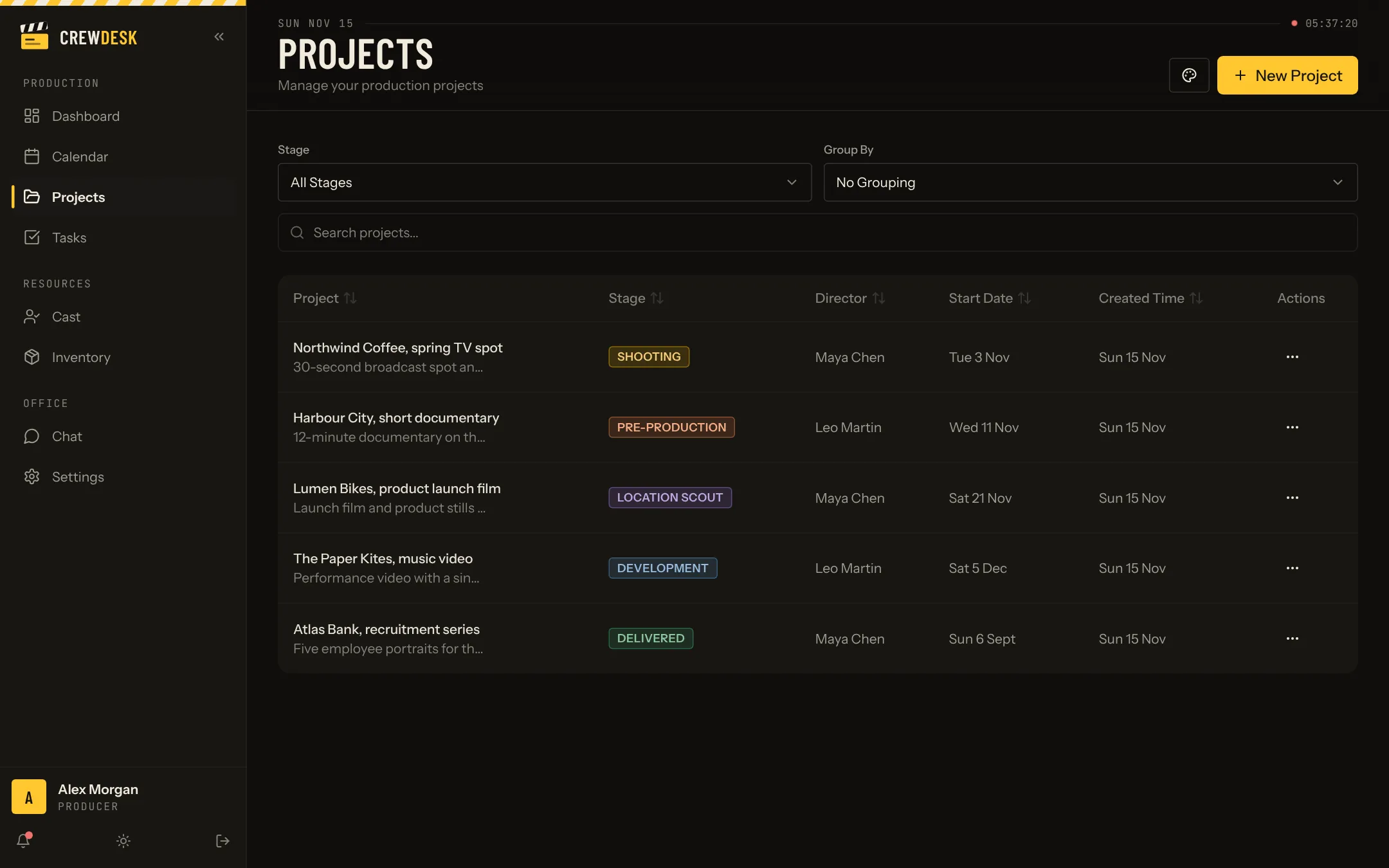
The projects page shows every production the company is running. Each line carries the title, a short description, the stage, the director, the start date and when it was created. You can sort by any column and search by name.
Prefer cards to a table? Switch the view. Want to see all the projects in pre-production together? Group by stage. The list adapts to the question you are asking that morning.
Five stages you can rename
A project moves through Development, Location scout, Pre-production, Shooting and Delivered. Each stage has its own colour, so the state of the company is readable at a glance. Stages and colours can be changed from the projects page.
One page per project
- Overview. Stage, director, start date, location, set and description.
- Tasks. The task list of that project only.
- Documents. Files attached to the production.
- Notes. Decisions and reminders that should not live in someone's inbox.
- Team. Cast, crew and creative leads assigned to the project.
- Chat. A conversation that stays with the project.
What changes for the team
The producer stops asking for status updates, because the status is on the screen. A coordinator joining mid-project reads one page and knows the client, the location and what is still open.
Set up your first production in five minutes
- Create the project. Name, client, director, dates. It starts in the Development stage.
- Add the team. Pick the people who work on it; each keeps the role they have in the company.
- Apply a task template. The checklist of a typical shoot arrives with owners to assign.
- Put the key dates on the schedule. Scout, fitting, shoot, delivery.
- Attach the brief. So the first document everyone opens is the one the client approved.
Who uses the projects page
Producers open it on Monday to review every production by stage. Coordinators live in it all week. Freelancers never see the list: they land directly on the productions they belong to. Clients do not have access in the demo; a client view is built to measure.
Reading the list like a production board
Sort by delivery date to see what is due. Group by stage to see where work piles up: ten productions in pre-production and one in shooting says something about next month. Search finds a client or a director in a second, including on productions delivered long ago.