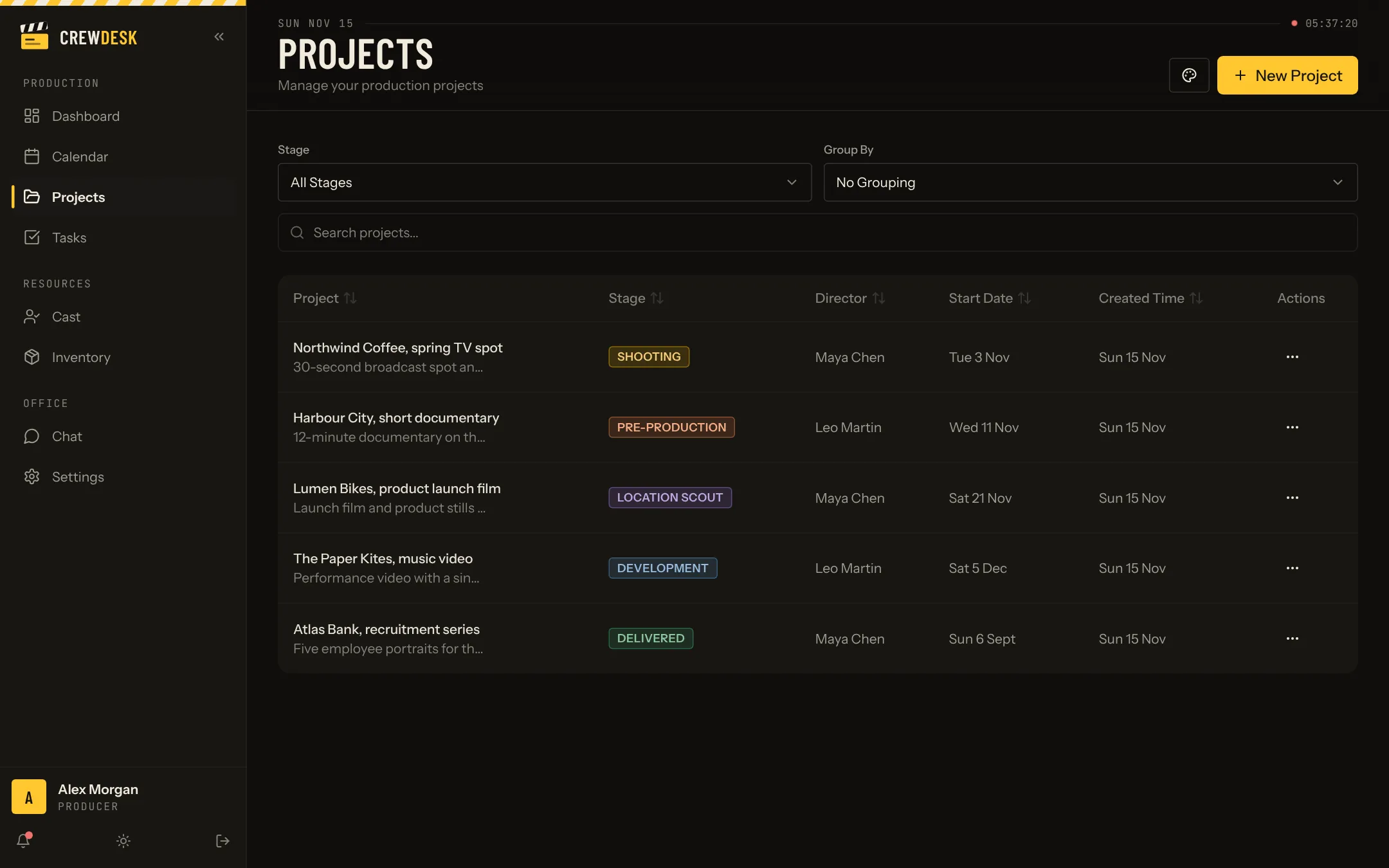
Why this template fits
Creative, marketing and video agencies run many client projects with a mix of staff and freelancers. The people database keeps who can do what and when they are free; roles decide what a freelancer sees.
What the template includes today
Everything below works in the live demo. Open it in one click and try each part with sample data.
- Projects by stage. Five stages from first idea to delivery, each project with its team, dates, documents and notes. The stage names and colours change.
- Tasks. To do, in progress, on hold and done; priorities, due dates, checklists, comments and reusable task templates, in a board view and a list view.
- A shared calendar. Every project and due date of the month on one screen.
- People. The team of each project, and a database of profiles with photos, sizes and availability (cast, in the demo).
- Inventory. Equipment and materials with photo, category, value and location.
- Team chat. A channel per project and direct messages, with files attached.
- Roles and permissions. Four roles; the owner decides what each one can see and change.
- Desktop and phone. A phone layout with a bottom tab bar for people in the field.
What TECHMA can add for you
- Stages such as Brief, Concept, Production, Client review, Live
- Client records and approvals
- Hours and budget per project
- Connection to your CRM and invoicing
These are not in the demo. They are the kind of additions TECHMA builds when it adapts the template, quoted with the rest.
Three ways to use this template
- Buy the source code. You get the full application and the steps to put it online on your own accounts. Your developers change what they want. No per-user licence.
- Have TECHMA adapt it. We rename the stages and fields for your trade, add the documents and connections you need, put your name on it and move your data in.
- Let TECHMA run it. Your version, hosted, backed up and updated by TECHMA. Your team just uses it.
Prices are on quote, because the three options differ a lot in scope. The first call is free and ends with a clear number.
What the code is made of
| Part | Technology |
|---|---|
| Screens | React 18 and TypeScript, built with Vite, styled with Tailwind CSS and Radix UI components |
| Server | Node.js with Express, a JSON API |
| Database | PostgreSQL, tables described in code with Drizzle ORM |
| Files and photos | Object storage (Supabase Storage in the demo) |
| Hosting | Runs on Vercel in the demo; any Node.js host works |
The app creates its own tables and sample data on first start, so a developer can run a copy in minutes.
How to start
- Open the demo. One click, no account. Move a project to the next stage, assign a task, look at the calendar.
- Note what is missing for your team. Your stage names, your fields, the document you fill every week.
- Book a free call with TECHMA. Bring that list. You leave with the option that fits and a price.